Showing posts with label library. Show all posts

Thursday, July 19, 2012

FREE! Read Indian graphic novels online


Utter the words ‘Internet’, ‘comics’ and ‘free’ in the same breath, and the words ‘online piracy’ crop up inadvertently. But don’t worry; we’re not urging you to download off Piratebay. We’re talking about graphicindia. com, a website dedicated to Indian graphic novels. The comic site features works by writers Samit Basu, Samik Dasgupta and Siddharth Kotian among others. But here’s the best part — you can read an ongoing series for free, one chapter a week.

Author Samit Basu says, “The model of free comics is nearly 60 years old. In America, since the beginning of the genre, you’d get free promotional comics. DC even has a ‘free comic book day’. The idea is to take the same model online.” Samit’s newest novel, titled Unholi, is a sort of apocalyptic take on Holi. Brilliantly (and somewhat eerily) illustrated by artist Jeevan Kang, it depicts a zombie attack in Delhi on the day of the festival. For now, you can read the first four chapters online, while Samit works on the rest of it.

Other interesting reads worth a look include a Ramayana set in the year 3392AD and a horror series called Untouchable. There’s also Devi, a graphic novel about a goddess who looks more like a superhero in her leather overalls. A comic by Stan Lee (who co-created Spider-Man, Ironman and Thor, among others) about a superhero in Mumbai is one of the most awaited novels on the website.

So, if all the content is available for free, how do the novels (and publishers Liquid Comics, who run the website) make money? “In a digital age, the greatest value for any content company is to build loyal audiences,” feels Sharad Devarajan, CEO and founder of Liquid Comics. Sharad and his team intend to build their audience-base through free content and hope to have them buy a physical copy or the e-book subsequently.

With the launch of specialised comic book libraries in the city and the Comic Con taking place in three cities across the country, has the audience for the genre grown or does it remain as niche in India? Sharad says, “Five years back, comics were still perceived to be kids products. Now, a new generation of Indian creators have begun expanding the boundaries of the medium.” Samit adds, “Right now, the market is building slowly. It’s free, so the readership is big. When you have to pay for it, it’ll be a whole different story.”  Irrespective, for those of us who love a good graphic novel, there’s no reason to complain. Graphic Details

Thursday, June 28, 2012

LIS UGC NET Questions and Answers June 2012

1. Roget Thesaurus is Classified manner
2. TCP/IP is a Internet Protocol
3. In AACR2 Part A section 12 deals with Serials Publication.
4. In Key word Indexing Author keyword Index is WADEX
5. Odd one in ANSI, BIS, BSI, ESPN
6. Internet acting as a-.

7. BIOS is a booting software
8. Scale and projections are seen in Geographical Sources
9. Segmentation associated with Information marketing
10. Stop word list used in Automated keyword Indexing
11. Relation between two subject is Phase relation
12. Redundancy in information is Unwanted source should be eliminated \
13. Internet filtering is a internet Censorship
14. Information network for Universities and colleges in UK is JANET
15. Shodhaganga is E-thesis repositories

16. First university started a M Phil program IS Delhi University
17. Head Quters  of ISLIC located at Kolkatta
18. "Minmal, Middling And Maximum theories given by Samuel Rothestein
19. Coden used In Serials
20.Calculation of Impact factor by Web of Knowledge and Scopus
21. Science citation index was published by Thomson Reuters
22. WIPO is Unites Nations organizations
23. Information literacy term coined by P. Zurkonski(1974)
24. Information Power Published By...........
25. Bulletin board Service in Internet is Blog
26. Scalar Chain Means Authority Structure
27. Students influenced by internt here Student is a dependent Variable
28. RFID used in Circulation and Security
29. Brown charging system easy to handle and recordable
30. Information explosion and cost makes resource sharing.
31. Square bracet []used in AACR2 for other external sources
32. Vidyanidhi is a Institutional repository
33. Xerography also called..Electrophotography
34. Solomon Four group design is Pretest posttest control group design
35. Blair and Moron model for Stairs project
36. Ideographic hypothesis means Individual
37. Who has published the book entitled " Information Power: Building Partnership for Learning"?
     American Association of School Librarians[AASL]
38. Heart  and Soul of Indian Constitution?
      Right to Constitutional Remedies
39. Inference Engine is available in?
      Expert System
40. The protocol used to transfer file from one system to anther system is? 
       File Tansfer Protocol(FTP)
41. In 1974, Zurkowski has given which term?
      Information Literacy
42. For what purpose, Solomon Four Group Design is used?
      Quantitative Analysis i.e. data analysis


Sunday, June 17, 2012

Why Library Catalogues are not as user-friendly as Search Engines?


Traditional library card catalogues are data-centered ‘handicrafts’ with lots of rigid rules controlling their access and descriptions and hence naturally very much under-used. Since the legacy is continued in modern Online Public Access Catalogues(OPACs) as early OPACs functioned like digital version of card catalogs, end-users also continued to admire library card catalogs and OPACs as ‘handicrafts’ than understand and use them extensively. Whatever limited use made of them is more for searching known-items and/or as adjuncts to library circulation system than as aninformation retrieval tool. Interestingly, many studies have reported that large majority of users prefer to browsing books on the shelves of libraries than browsing library catalogues.


Search Engines intuitively captured the imagination of end-users with many simple and easy to understand features in information discovery and access. User-centric design, self-service, seamlessness, natural language search, fuzzy search, autosuggestion of search terms, spell-check, auto-plurals, auto-word truncation, showing similar items/pages, relevance ranking, popularity tracking, interaction and feedback, provision for varieties of filtering and browsing, etc. are the features users got acquainted from Search Engines. They never expected users to undergo information literacy trainings and not even to have a search strategy or prepare a complexsearch query, but allowed users to enter whatever natural language words come to their mind in a search box with a ‘search’ or ‘go’ button adjacent to it to click and execute without the burden of knowing field tags, Boolean operators or data structure and so on. As a matter of fact, unlike OPACs, by default they did not restrict the search terms to select fields even though that is an option available and this feature greatly increased the relevance of search results. 


Search Engines went to the extent of automatically deciding, as soon as two or more keywords are entered in the search box, either to execute as a phrase search or Boolean ‘AND’ search. Some clever Search Engines execute both in sequence, i.e., first as a phrase search and then as Boolean AND search if the resulting hits are below certain pre-specified number .Once the search results appeared, Search Engines effectively capture the attention of users with relevance ranked presentation, option to change the criteria for ranking like ‘latest first’ (i.e., by date of publication). The display of results by Search Engines is more convenient and comfortable than that from OPACs. Search Engines guide users, in a simple way, not only to modify the search and re-execute with the search box and keywords intact but also enable them to narrow down the search result through various filtering options like subject, author, format, date, language, etc. They also liberally allow users to play with result pages and items by moving back and forth and marking and demarking, downloading, e-mailing, sharing, exporting and processing and doing many more things. In addition, users can access and collate similar records with ‘more like this’ feature for a given author or subjects One welcome development in the recent past is that library OPACs are trying to imitate Search Engines and introduce external links to images, full text, TOC, summaries, author information and reviews of retrieved documents. Classification scheme, cataloging code and controlled vocabulary (thesaurus) are the three ‘sacred tools’ which pre-occupied librarians more than anything else over acentury. But Librarians did not bother to check the acceptance of these tools by end users. Present day Search Engines do have thesauri and taxonomies in the backand help users to map their natural language keywords so that end users are immensely benefited but without taxing them to know what is happening (or how it is happening) in the back. 

Some of the rigid cataloging rules, the process of delineating metadata elements as access, descriptive and administrative data elements, are no more relevant on Web. As such, AACR, MARC and otherstandards have appeared more as limitations from user perspective than a user-friendly service. On the other hand, Search Engines have effectively re-purposed these data elements to add value to service and grown with the changed and expected user behaviour. Library catalogs are also changing, but slowly. For example, the extent of data mining done by Search Engines cannot be compared with Circulation and OPAC modules of any library management software.


In a nutshell, rule-based data-centric design of OPACs turned out to be Librarian-friendly; where as user-centric design of Search Engines are immensely user-friendly. OPACs are no match to Search Engines as for as user-empowerment and minimal consumption-skill requirements are concerned. Of late, Federated Search Engines, in their effort to provide one-stop digital service to users, face challenges in integrating diverse OPACs and different sets of databases within the same OPAC. It is heartening to note that the new J-Gate 2 has many features of a powerful Search Engine and is forging ahead to enhance it soon with even Federated Search Engine features to search in one go all your digital resources including OPAC.

Wednesday, October 5, 2011

Useful Google Plus Tips and Tricks | Google+ Tips and Tutorials


Google+
This post contains some useful Google Plus tips and tricks or some useful Google+ Tutorials. Google Plus is now become the most growing social network and gains huge users in the short period of time while in the beta mode. A truth about this blog is that we have included some articles about facebook tips and tricks and found targeted visitors from major search engines but after lanuch Google Plus beta mode we have included Google Plus tips and tricks in this blog and look the major effect that my visitors from search engines increased as a rocket speed so this live experience shows users are searching more and more about Google Plus tips and tutorials in these days. 
The main thing on social networking sites is the privacy of their users which is easier in Google Plus to set what you want to show or hide of your data to the web. Facebook did many changes in their privacy setting and launch video chat with skype after launch Google Plus beta mode because if facebook don't take any action then for sure Google Plus reach to the top level with easiest ways but there is no doubt facebook is struggling to stand against Google Plus. By the way check out some most useful Google Plus tips and tricks listed below.


1.   Basic Definitions of Google Plus Features as Circles, Hangout, Sparks

Before starting about Google Plus Tutorials lets start with what is Google Plus Project and some basic definitions of its features. Just follow

What Is Google+?

Google+ is a tool you can use to organize your online contacts. You can upload your pictures and videos to share with friends, join in on a group video chat to plan your next outing, or just hang out!


  • +Circles
Enable you to organize contacts into groups for sharing across various Google products and services. Although other users can view the list of people in your collection of circles, they cannot view the names of those circles. Organization is done through a drag-and-drop interface.


To understand Google Plus and Circles better, go to the Settings Gear and select Profile and Privacy. Look for "See how your profile looks to other users." Type in a user name from different circles and click Preview to see what your profile looks like from the specified user.
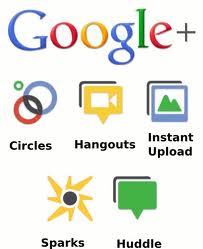


  • +Sparks

A front-end to Google Search, enabling users to identify topics they might be interested in sharing with others. “Featured interests” Sparks are also available, based on topics others globally are finding interesting.

Sparks is a great way to find information to help in your professional development towards building your e-capability, all information is current and reliable.

  • +Hangouts

Used to facilitate group video chat (with a maximum of 10 people participating in a single Hangout at any point of time). However, anyone on the web could potentially join the 'Hangout' if they happen to possess the unique URL of the Hangout.


  • +Huddle

Huddle is a a group messaging feature available within the Google+ mobile app. Rather than sending text messages to each person in a circle the user sends Huddle messages to the group. This can be advantageous when trying to setup where and when to go out.

  • Google+ Mobile


Accessing Google+ on one’s Mobile Phone or Device (Currently Android and Web Only)

Download the Google+ mobile application from the Android Market. Once you launch the application it will ask which account you wish to sign in with, select the account.


  • Enable Push Notifications

Google+ mobile app -- Launch Google+ on your phone, press the menu button and go to Settings. Enable or Disable notification/vibration/ringtone for Google+ and Huddle notifications.

Google+ (plus.google.com) -- Click the ‘Options’ cog in the top right hand corner of the screen and select ‘Google+ Settings’. Under ‘Set delivery preferences’, add your mobile number and choose Push Notifications or SMS Notifications. Then in the ‘Receive Notifications’ section, choose which notifications you would like to receive by selecting the checkbox in the phone column for each item.


Getting Started with Google+

Tips

Google+ can be accessed from http://google.com/+ or http://plus.google.com or http://google.com/plus or, for mobile device, from http://m.google.com/plus.

To share Google+ posts click the “Time link” button and use the Google Shortener Extension for Chrome browser and share posts to Blogger, Tumblr, Facebook and others.


Creative ways to use Circles


Create an “*Inbox” circle and include the people you’d like to see every post from. The friends, family, and acquaintances circles are on top by default.

Create a "Read later" circle and include no other person (Google+ calls it an empty circle). When you see a post you want to read later, share it only with the "Read later" circle. Then when you have some time, open that circle and read through (and delete) the saved posts.

Similarly, create an (empty) "Drafts" circle. When you have an idea for a post, but no time to write it, draft a rough version and share it to the "Drafts" circle. Edit the draft by using "Edit this post" from the drop down menu. Then, when the post is complete, copy it to a new post that you can then share to your circles and delete the draft post.

Yet again, create a similar (empty) circle called “Bookmarks” so you can go back and find that tidbit of information to read and use again and again.

If you would like to mute future notifications on a particular post you can do so by opening notifications, then opening the particular notification you wish to mute. Look at the bottom right hand corner of the notifications box. There will be an option to mute that notification.


Formatting

Google+ uses the follow character operations to perform italicizing, bolding, or striking through text:


_ italic text _ ➜ italic text
* bold text * ➜ bold text
- strikethrough text - ➜ strikethrough text
_*italic bold text*_ ➜ italic bold text


Formatting symbols only work when the formatted string is encapsulated by spaces, therefore surrounding the symbols by parentheses or brackets escapes the formatting.


[_ italic text _] ➜ [italic text]
** bold text ** ➜ *bold text*
_()(*- strikethrough text -*)()_ ➜ ()(*-strikethrough text-*)()
foo_*italic bold text*_bar ➜ foo_*italic bold text*_bar
**cough** ➜ *cough*


Shortcuts


Note: These shortcuts apply to the desktop version of Google+ only.

@Anil Mishra or +Anil Mishra ➜  (press @ or + to link to a person in a post or comment) but they must be a google plus member for this to work otherwise the hyperlink of their name just turns into plain text.

After you post, click the little drop-down arrow (▽) in the upper right of the post to disable comments or disable re-sharing (i.e., for things you don't want to spread beyond your specified audience).

Press “q” to go directly to the chat box

Press , then after writing a comment on a post to quickly submit it. (faster than clicking the Post Comment button every time)

Press twice and then to cancel writing a comment.

Press space to drop down a page. (Applies to all web pages)

Press +space to move up a page. (Applies to all web pages)

If you want to post directly to specific friends, just type the first letter of their name, a drop-down list will appear, keep typing until you see their name, then select the name and click to send message or begin chat. Alternative quick step, if necessary, click to remove existing “addressees” (i.e. Public, Circles, etc) so that the post is addressed to no one. The in the message area using the + or @ technique described above, start typing their name until you see it, select it, and it will then be included in the message as well as the addressees.

While moving through posts using ‘j’ (next post) and ‘k’ (previous post), you can start     a comment by pressing .

Use the mouse scroll wheel to navigate through photo slideshows


Privacy

A core element of Google+ is its privacy features, which have been integrated deeply into the product. Google+ gives users extensive control over these features.

Click edit in your profile to change which circles can view what personal details. Your name, gender, and profile picture have to be public, everything else can be restricted. You can also opt out of appearing in the search results here.

If you would like to send a message to another user, just put their name into the destination field of your posting. If the recipient is not a user of Google+, enter their email address. To save typing the email address every time, you can add them as a contact on the circles page.

If you want the permanent link to a post, click on its timestamp to see the single post. You can copy the URL from your browser to share the permalink (alternatively, you can select “Link to this post” from the drop-down menu at the top left of the post)

You can link directly to your profile using http://profiles.google.com/.

There are also non-official shorteners that use the profile number you can find when viewing your profile. (For example go to http://gplus.to/)

To understand Google Plus and Circles better, go to the settings gear to Settings -> Profile and Privacy. Look for "See how your profile looks to other users." Type in a user name from different circles and you will be able to see how your info is shared according to those circles.

There is a shortcut for this under the EDIT PROFILE button on a user’s profile page. It’s a greyed-out “View profile as....” box. Click on each section to see how each person or circle will view each area: About, Posts, Photos, Videos, +1s, Buzz


1.   Google+ Tips for Send/Receive Tweets in Google Plus

If you want to twitter integration as sending tweets and showing your twitter updates into your Google Plus account then you can easily integrate your Google Plus account with twitter. you don't need to leave your Google Plus account for sending tweets or showing your updates of your twitter account. Just follow Send/Receive Tweets or Show Twitter Stream in Google Plus.


2.   Google+ Tutorials for send/receive facebook updates in Google Plus

Now after twitter integration you can integrate your facebook account in your Google Plus account. You don't need to leave your Google Plus account if you want to post any update in your facebook or you want to see your facebook stream updates. Just follow Show Facebook Stream and Updates Facebook Wall from Google Plus. 


3.   Google Plus Tips for Bold/Strikethrough and Italic Text

 Different text formatting are always eye catching for your friends and for your customers so get noticed to some words for making it bold/italic or strikethrough. Just follow Make text to Bold/Italic/Strikethrough in Google Plus.


4.   Google Plus Tips and Tricks for Sending Private Messages

Did you find any option for sending private message to your Google Plus friends? No. Ok some tips is required for sending private messages in Google Plus to your friends. If some one send you private message then you will got these messages into your main stream page and the message will be seen only by you. So just follow Sending Private Messages to Friends in Google Plus.


5.   Google Plus Tricks To Get Google Plus Notification Updates on Mobile Phone

Do you want notification if some added you to in circle or if some one write comments on your updates or anything what you check options to getting notification on your mobile phone. Just follow Google Plus Updates Notification on Mobile Phones. 


6.   Google Plus Wall Status Updates By Mobile Phones via SMS

Now if you are an Indian users then you can send Google Plus updates via SMS from your mobile phones and also you can send updates to individual circles. Hope this features will be launch word wide soon! So for Indian users just follow Get Google Plus Updates from Mobile via SMS Text.


7.   Google Plus Tips for Adding Google+ Widget To Blogs

Are you a webmaster? Have you any blog? If your answer is yes, then by adding Google+ widget to your websites or blogs you can increase your Google Plus connections so for adding Google+ widget for your blogs just follow Adding Google+ Widget To Blogs. 


8.   Google+ Tutorials:Sharing your wall updates to directly facebook, Twitter, LinkedIn, Tumblr

You can now share your Google Plus wall updates directly to facebook, twitter, linkedin and tumblr. Your each updates will contain a button of "Share on..." and if you click on then you will see option to share. This is all have done by a chrome extension so you have to use chrome browser if you want this option. Now if you are on chrome browser and want to enable this feature then just follow Share Google Plus Wall Updates To Facebook/Twitter.


9. Downloading Google+ data as friends contact, albums, videos to desktop

If you want to secure your Google Plus data as your albums, your uploaded videos or your friends contact, your stream data and your profile data to your desktop hard drive before being hacked by some one. Just follow Download All Google Plus Data To Desktop Hard Drive.


10.    Google Plus Tips To Move Facebook Album Photos To Google Plus

Have you many photos in your many albums and want all photos in your Google Plus Profile. It is very difficult to save all photos to your desktop and then upload these to your Google Plus Profile. A Chrome Extension is there for easily move your facebook photos to your Google Plus account with some clicks. You have to be on chrome browser if you want to move your facebook albums to Google Plus by just simple clicks. Just follow Move Facebook Photos To Google Plus Account.


These Google Plus Tips and Tricks are regularly updated so get back after some days to this post you will see some more Google Plus Tutorials. If you want to get updates on Google Plus then you can get noticed by bookmark this page,
 Add me in your Circle on Google Plus and you can Be My Fan on Facebook and follow us on Twitter or simply get updates directly to your email address just verify your email address with us for SubscribeMy News Later.

Tuesday, October 4, 2011

How to create a screencast (video) of your website freely


If you are a blogger, social networker, web designer or just a simple guy who wants to create a video for your blog readers, website visitors, to show them how to search a particular website or search engine, database etc., then this post can really help you.


Creating a great library website video can be challenging. However, if you use one of the following free programs, you will find it much easier.


1. Sketchcast.com Use this cool tool and site to create videos with sketches made by creating stick figures.


2. Flixtime.com Use this site to create a video with pictures, text, audio or music.


3. Animoto.com Another site similar to flixtime.


4. OneTrueMedia.com Another site similar to flixtime and animoto however, one true media allows you to create longer videos for free.


5. Prezi.com This nifty site lets you create videos that are a mixture of powerpoint and interactive video.


6. Screenr.com Use this handy site to record screen capture videos. The videos are also hosted on the web by ScreenR.


7. Masher.com Another site similar to some of the others only with a few unique features.


8. Stupeflix.com Use this site to create videos that are a combination of photos and videos.


9. Slidesix.com Create videos out of your power points.


10. Camstudio.org Use this free download software to create screen capture videos. This program works a lot like camtasia, only it’s free and does not have as many editing features.


What is your favorite way to create library videos?

Tuesday, May 31, 2011

A Digital Library Better than Google?


On Tuesday, Denny Chin, a federal judge in Manhattan, rejected the settlement between Google, which aims to digitise every book ever published, and a group of authors and publishers who had sued the company for copyright infringement. This decision is a victory for the public good, preventing one firm from monopolising access to our common cultural heritage.

Nonetheless, we should not abandon Google’s dream of making all the books in the world available to everyone. Instead, we should build a digital public library, which would provide these digital copies free of charge to readers. Yes, many problems — legal, financial, technological, political — stand in the way. All can be solved.

Let’s consider the legal questions raised by the rejected settlement. Beginning in 2005, Google’s book project made the contents of millions of titles searchable online, leading the Authors Guild and the Association of American Publishers to claim that the snippets madeavailable to readers violated their copyrights. Google could have defended its actions as fair use, but the company chose, instead, to negotiate a deal.
The result was an extremely long and complicated document known as the Amended Settlement Agreement that simply divided up the pie. Google would sell access to its digitised database, and it would share the profits with the plaintiffs, who would now become its partners. The company would take 37%; the authors would get 63%. That solution amounted to changing copyright by means of a private lawsuit, and it gave Google legal protection that would be denied to its competitors. This was what Chin found most objectionable.

In court hearings in February 2010, several people argued that the Authors Guild, which has 8,000 members, did not represent them or the many writers who had published books during the last decades. Some said they preferred to make their works available under different conditions; some even wanted to make their work available free of charge. Yet, the settlement set terms for all authors, unless they specifically notified Google that they were opting out.

In other words, the settlement didn’t do what settlements are supposed to do, like correct an alleged infringement of copyright, or provide damages for past incidents; instead, it seemed to determine the way the digital world of books would evolve in the future.

Chin addressed that issue by concentrating on the question of orphan books — that is, copyrighted books whose rightsholders have not been identified. The settlement gives Google the exclusive right to digitise and sell access to those books without being subject to suits for infringement of copyright. According to Chin, that provision would give Google “a de facto monopoly over unclaimed works”, raising serious antitrust concerns.
Chin invited Google and the litigants to rewrite the settlement yet again, perhaps by changing its opt-out to opt-in provisions. But Google might well refuse to change its basic commercial strategy. That’s why what we really need is a non-commercial option: a digital public library.

A coalition of foundations could come up with the money — estimates of digitising one page vary enormously, from 10 cents to $10 or more — and a coalition of research libraries could supply the books. The library would respect copyright, of course, and it probably would exclude works that are now in print unless their authors wanted to make them available. It would include orphan books, assuming that Congress passed legislation to free them for non-commercial use in a genuinely public library.

To dismiss this as quixotic would be to ignore digital projects that have proven their value and practicability throughout the last 20 years. All major research libraries have digitised parts of their collections. Large-scale enterprises like the Knowledge Commons and the Internet Archive have themselves digitised several million books. A number of countries are also determined to out-Google Google by scanning the entire contents of their national libraries. France is spending €750 million to digitise its cultural treasures; the National Library of the Netherlands is trying to digitise every Dutch book and periodical published since 1470; Australia, Finland and Norway are undertaking their own efforts.

Perhaps Google itself could be enlisted to the cause of the digital public library. It has scanned about 15 million books; two million of that total are in the public domain and could be turned over to the library as the foundation of its collection. The company would lose nothing by this generosity, and might win admiration for its good deed.

Through technological wizardry and sheer audacity, Google has shown how we can transform the intellectual riches of our libraries, books lying inert and underused on shelves.

But only a digital public library will provide readers with what they require to face the challenges of the 21st century — a vast collection of resources that can be tapped, free of charge, by anyone, anywhere, at any time.

(ROBERT DARNTON
The author is a professor and
the director of the Harvard
University Library)
© The New York Times News Service

Thursday, April 21, 2011

5 Myths About the 'Information Age'


Confusion about the nature of the so-called information age has led to a state of collective false consciousness. It's no one's fault but everyone's problem, because in trying to get our bearings in cyberspace, we often get things wrong, and the misconceptions spread so rapidly that they go unchallenged. Taken together, they constitute a font of proverbial nonwisdom. Five stand out:


1. "The book is dead." Wrong: More books are produced in print each year than in the previous year. One million new titles will appear worldwide in 2011. In one day in Britain—"Super Thursday," last October 1—800 new works were published. The latest figures for the United States cover only 2009, and they do not distinguish between new books and new editions of old books.

But the total number, 288,355, suggests a healthy market, and the growth in 2010 and 2011 is likely to be much greater. Moreover, these figures, furnished by Bowker, do not include the explosion in the output of "nontraditional" books—a further 764,448 titles produced by self-publishing authors and "micro-niche" print-on-demand enterprises. And the book business is booming in developing countries like China and Brazil. However it is measured, the population of books is increasing, not decreasing, and certainly not dying.


2. "We have entered the information age." This announcement is usually intoned solemnly, as if information did not exist in other ages. But every age is an age of information, each in its own way and according to the media available at the time. No one would deny that the modes of communication are changing rapidly, perhaps as rapidly as in Gutenberg's day, but it is misleading to construe that change as unprecedented.


3. "All information is now available online." The absurdity of this claim is obvious to anyone who has ever done research in archives. Only a tiny fraction of archival material has ever been read, much less digitized. Most judicial decisions and legislation, both state and federal, have never appeared on the Web. The vast output of regulations and reports by public bodies remains largely inaccessible to the citizens it affects. Google estimates that 129,864,880 different books exist in the world, and it claims to have digitized 15 million of them—or about 12 percent. How will it close the gap while production continues to expand at a rate of a million new works a year? And how will information in nonprint formats make it online en masse? Half of all films made before 1940 have vanished.

What percentage of current audiovisual material will survive, even in just a fleeting appearance on the Web? Despite the efforts to preserve the millions of messages exchanged by means of blogs, e-mail, and handheld devices, most of the daily flow of information disappears. Digital texts degrade far more easily than words printed on paper. Brewster Kahle, creator of the Internet Archive, calculated in 1997 that the average life of a URL was 44 days. Not only does most information not appear online, but most of the information that once did appear has probably been lost.

4. "Libraries are obsolete." Everywhere in the country librarians report that they have never had so many patrons. At Harvard, our reading rooms are full. The 85 branch libraries of the New York Public Library system are crammed with people. The libraries supply books, videos, and other material as always, but they also are fulfilling new functions: access to information for small businesses, help with homework and afterschool activities for children, and employment information for job seekers (the disappearance of want ads in printed newspapers makes the library's online services crucial for the unemployed). Librarians are responding to the needs of their patrons in many new ways, notably by guiding them through the wilderness of cyberspace to relevant and reliable digital material. Libraries never were warehouses of books. While continuing to provide books in the future, they will function as nerve centers for communicating digitized information at the neighborhood level as well as on college campuses.
 5. "The future is digital." True enough, but misleading. In 10, 20, or 50 years, the information environment will be overwhelmingly digital, but the prevalence of electronic communication does not mean that printed material will cease to be important. Research in the relatively new discipline of book history has demonstrated that new modes of communication do not displace old ones, at least not in the short run. Manuscript publishing actually expanded after Gutenberg and continued to thrive for the next three centuries. Radio did not destroy the newspaper; television did not kill radio; and the Internet did not make TV extinct. In each case, the information environment became richer and more complex. That is what we are experiencing in this crucial phase of transition to a dominantly digital ecology.


I mention these misconceptions because I think they stand in the way of understanding shifts in the information environment. They make the changes appear too dramatic. They present things ahistorically and in sharp contrasts—before and after, either/or, black and white. A more nuanced view would reject the common notion that old books and e-books occupy opposite and antagonistic extremes on a technological spectrum. Old books and e-books should be thought of as allies, not enemies. To illustrate this argument, I would like to make some brief observations about the book trade, reading, and writing.
Last year the sale of e-books (digitized texts designed for hand-held readers) doubled, accounting for 10 percent of sales in the trade-book market. This year they are expected to reach 15 or even 20 percent. But there are indications that the sale of printed books has increased at the same time. The enthusiasm for e-books may have stimulated reading in general, and the market as a whole seems to be expanding. New book machines, which operate like ATM's, have reinforced this tendency. A customer enters a bookstore and orders a digitized text from a computer. The text is downloaded in the book machine, printed, and delivered as a paperback within four minutes. This version of print-on-demand shows how the old-fashioned printed codex can gain new life with the adaption of electronic technology.


Many of us worry about a decline in deep, reflective, cover-to-cover reading. We deplore the shift to blogs, snippets, and tweets. In the case of research, we might concede that word searches have advantages, but we refuse to believe that they can lead to the kind of understanding that comes with the continuous study of an entire book. Is it true, however, that deep reading has declined, or even that it always prevailed? Studies by Kevin Sharpe, Lisa Jardine, and Anthony Grafton have proven that humanists in the 16th and 17th centuries often read discontinuously, searching for passages that could be used in the cut and thrust of rhetorical battles at court, or for nuggets of wisdom that could be copied into commonplace books and consulted out of context.

 
In studies of culture among the common people, Richard Hoggart and Michel de Certeau have emphasized the positive aspect of reading intermittently and in small doses. Ordinary readers, as they understand them, appropriate books (including chapbooks and Harlequin romances) in their own ways, investing them with meaning that makes sense by their own lights. Far from being passive, such readers, according to de Certeau, act as "poachers," snatching significance from whatever comes to hand.

 
Writing looks as bad as reading to those who see nothing but decline in the advent of the Internet. As one lament puts it: Books used to be written for the general reader; now they are written by the general reader. The Internet certainly has stimulated self-publishing, but why should that be deplored? Many writers with important things to say had not been able to break into print, and anyone who finds little value in their work can ignore it.

The online version of the vanity press may contribute to the information overload, but professional publishers will provide relief from that problem by continuing to do what they always have done—selecting, editing, designing, and marketing the best works. They will have to adapt their skills to the Internet, but they are already doing so, and they can take advantage of the new possibilities offered by the new technology.To use an an example from my own experience, I recently wrote a printed book with an electronic supplement, Poetry and the Police: Communication Networks in Eighteenth-Century Paris (Harvard University Press). It describes how street songs mobilized public opinion in a largely illiterate society. Every day, Parisians improvised new words to old tunes, and the songs flew through the air with such force that they precipitated a political crisis in 1749. But how did their melodies inflect their meaning? After locating the musical annotations of a dozen songs, I asked a cabaret artist, Hélène Delavault, to record them for the electronic supplement. The reader can therefore study the text of the songs in the book while listening to them online. The e-ingredient of an old-fashioned codex makes it possible to explore a new dimension of the past by capturing its sounds.

 
One could cite other examples of how the new technology is reinforcing old modes of communication rather than undermining them. I don't mean to minimize the difficulties faced by authors, publishers, and readers, but I believe that some historically informed reflection could dispel the misconceptions that prevent us from making the most of "the information age"—if we must call it that.


Source: http://chronicle.com/


Recommend this

Related Posts Plugin for WordPress, Blogger...